
Server
The Server page is the console of your server. After this page you can start and stop the server, read what it writes, send it commands, have it started again after a crash, and you know what happens to it when you quit lip.
If the keys or the parts of the screen are new to you, read A tour of the interface first.
The parts of the page
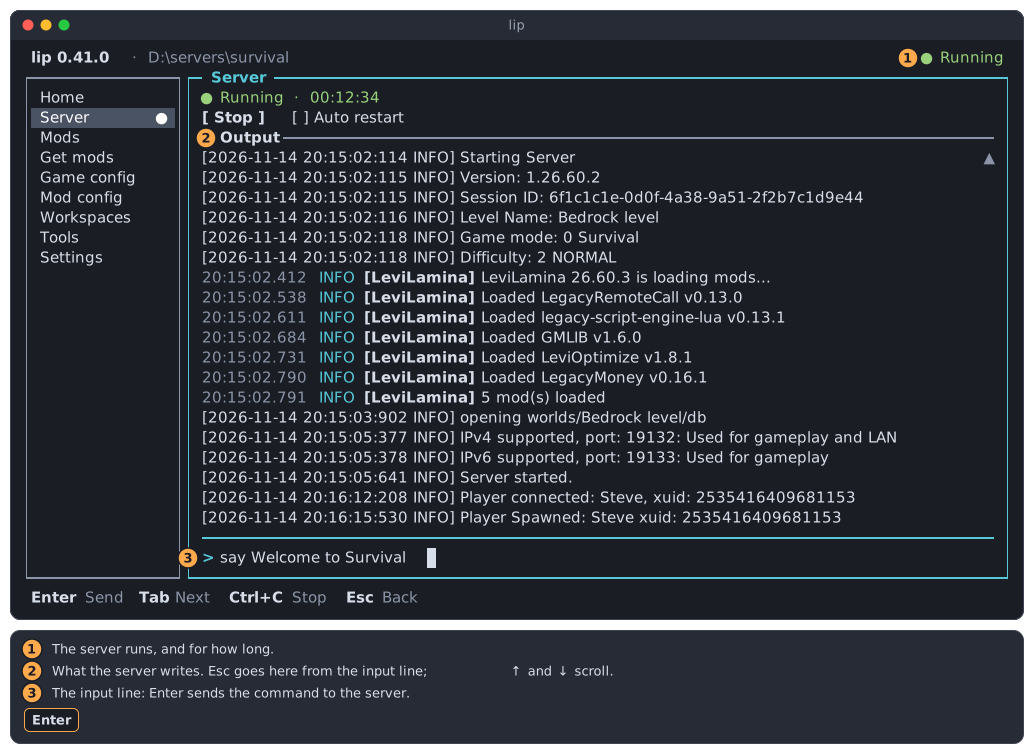
- The state line says whether the server runs. Below it are the Start or Stop button and the option Auto restart.
- The output is what the server writes.
- The input line is where you type commands for the server. It is there only while the server runs.
Tab goes from one part to the next: the button and the option, the output, the input line.
Every state of the server
The state line always shows one of the following.
No server here yet
A folder without the game has nothing to run. The page offers one button.
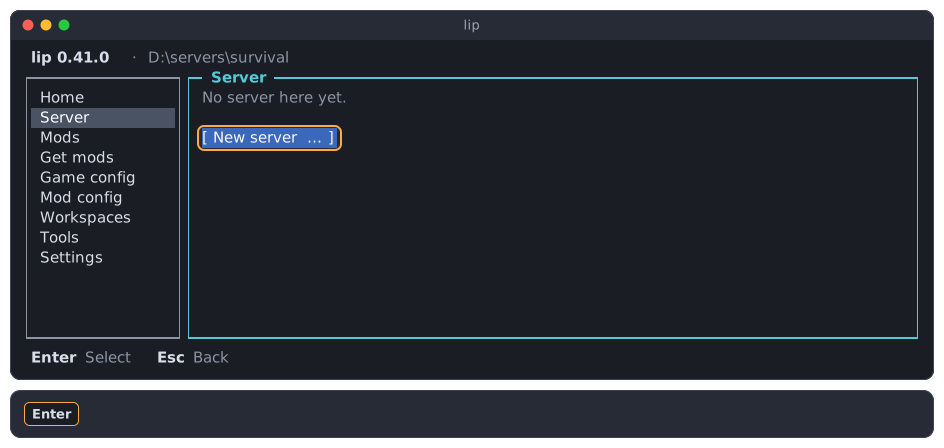
Press Enter to create a server. This starts the new server wizard of the Workspaces page.
Stopped
○ Stopped means that the server does not run and has not run since lip started. The output is empty.
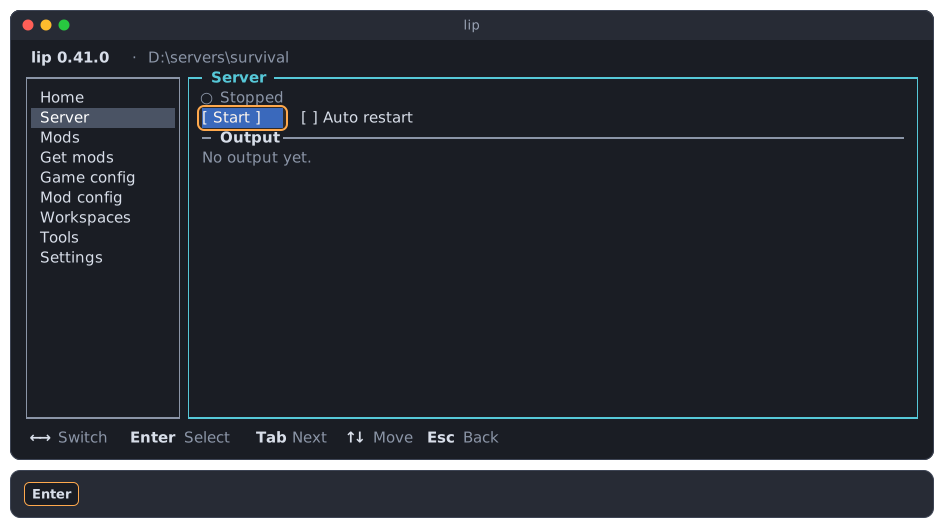
Press Enter on Start to start it.
Running
When you press Start, the state is ● Starting until the program of the server runs. That is usually a moment. It takes longer when lip first has to prepare the system for the server, such as the Visual C++ runtime on Windows or Wine on Linux and macOS. When that fails, lip shows the failure, and the state is ○ Stopped again.
Then the state is ● Running. The server counts as running from the moment its program runs, while it still loads its world and its mods.
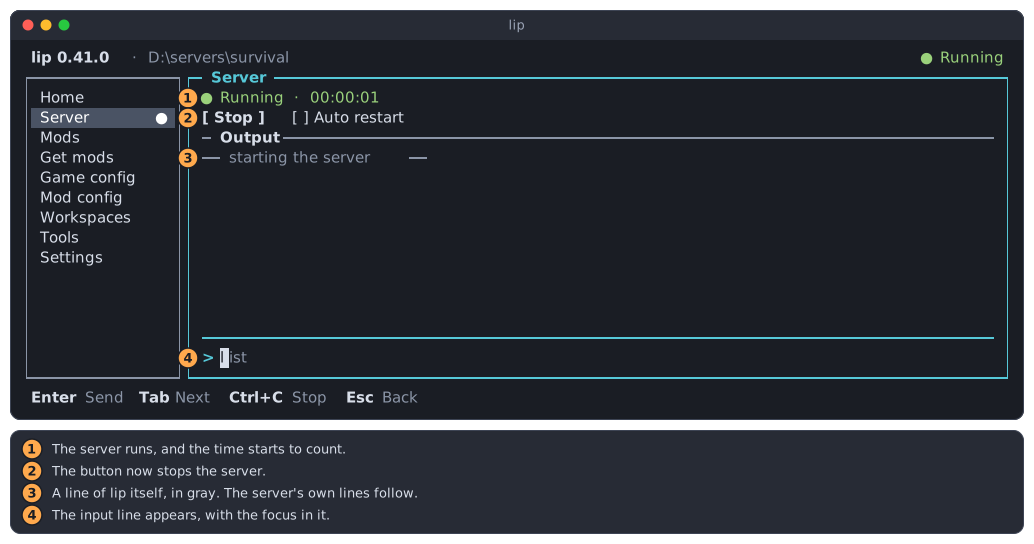
● Running, followed by how long the server has been running, as hours, minutes and seconds.- The button is now Stop.
- Gray lines between dashes are written by lip itself, not by the server.
- The input line appears, and the focus moves into it.
The top line of lip shows ● Running too, and the Server entry of the sidebar gets a ●. You can go to other pages; the server keeps running.
The server is ready for players when it writes Server started. in its output.
INFO
If the server cannot be started at all, for example because a file of the game is missing, lip shows a failure dialog and the state stays "Stopped". See When something fails.
Stopping
After you ask the server to stop, the state is ● Stopping until the server has ended. A server usually needs a few seconds to save its world.
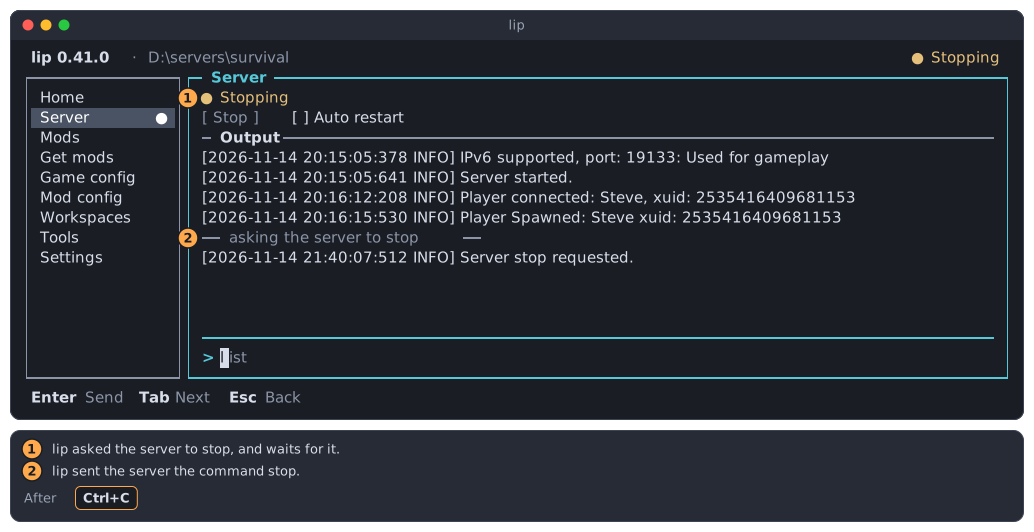
- lip has asked the server to stop, and waits for it.
- lip sent the server the command
stop.
The Stop button is gray meanwhile: asking twice does nothing more.
Exited with a code
When the server has ended, the state is ○ Exited with code and a number. The code 0 means that the server ended normally. Any other code means that something went wrong.
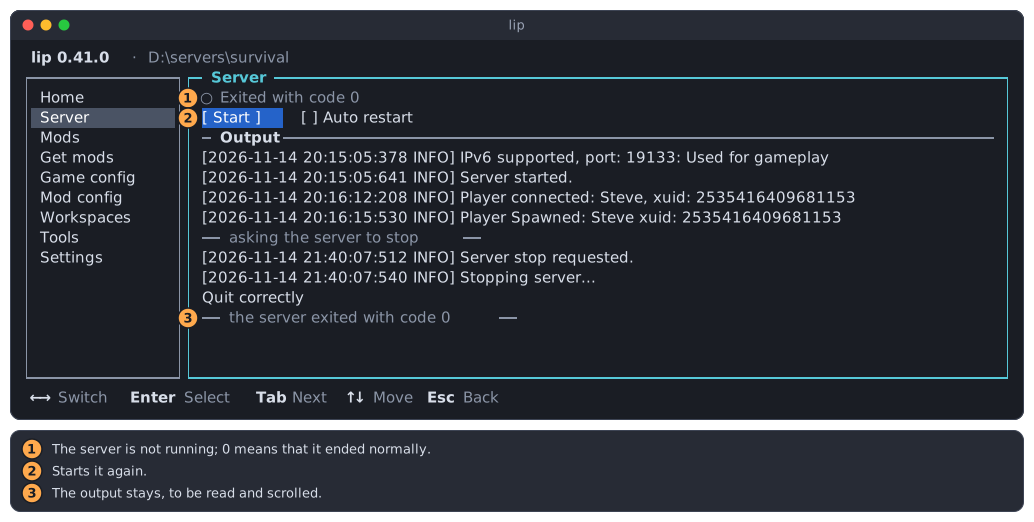
- The server is not running.
- Start starts it again.
- The output stays, so you can read why the server ended.
Restarting
When the server ends with a code other than 0, you did not ask it to stop, and Auto restart is on, lip starts it again after 5 seconds. Meanwhile the state is ● Restarting, followed by the code that the server ended with.
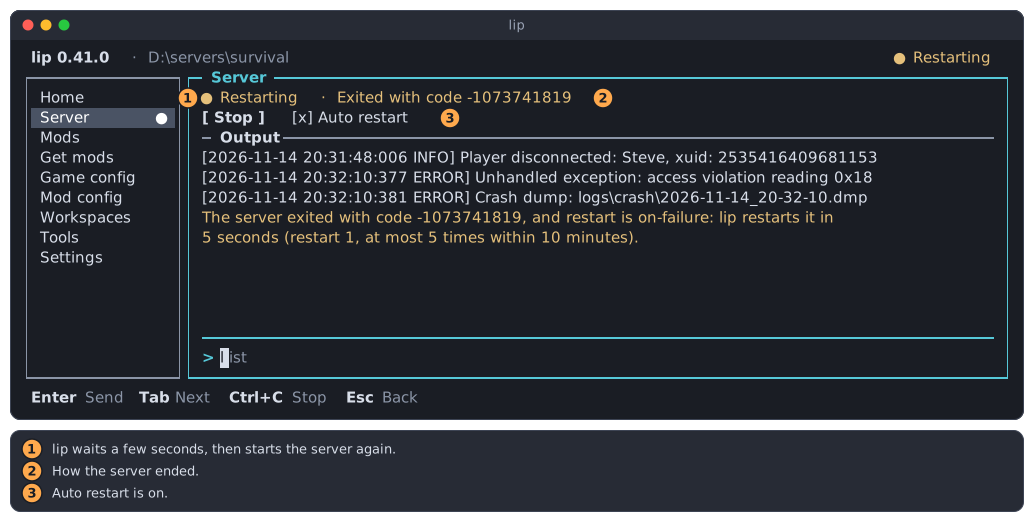
- lip waits, then starts the server again.
- How the server ended.
- Auto restart is on.
Press Ctrl+C or Stop while lip waits, and the server is not started again.
Running outside this interface
A server can also be started with the plain command lip run in another terminal. lip then knows that the server runs, and no more.
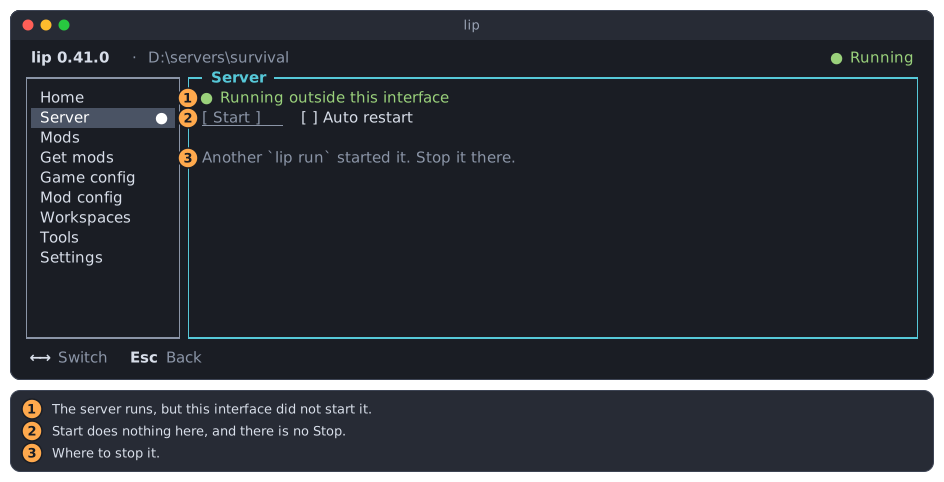
- The server runs, but this interface did not start it.
- Start does nothing here, and there is no Stop.
- Stop the server where it was started.
There is no output and no input line, because they belong to the terminal that started the server. Everything else that depends on a running server still holds: mods cannot be changed until it has stopped.
Starting and stopping
To start the server, press Enter on Start. Step 3 of the Home page does the same.
To stop the server, either:
- press
Ctrl+Canywhere on the Server page, or - press
Tabuntil Stop is highlighted, thenEnter.
Both send the server the command stop, so that it saves the world and ends by itself. lip never kills the server.
WARNING
On every other page, Ctrl+C asks whether to quit lip. Only on the Server page, and only while the server runs, does it stop the server.
Reading the output
While the focus is in the input line, the output follows the server: new lines appear at the bottom.
To read back, press Esc in the input line. The focus moves to the output, and its title becomes bright.
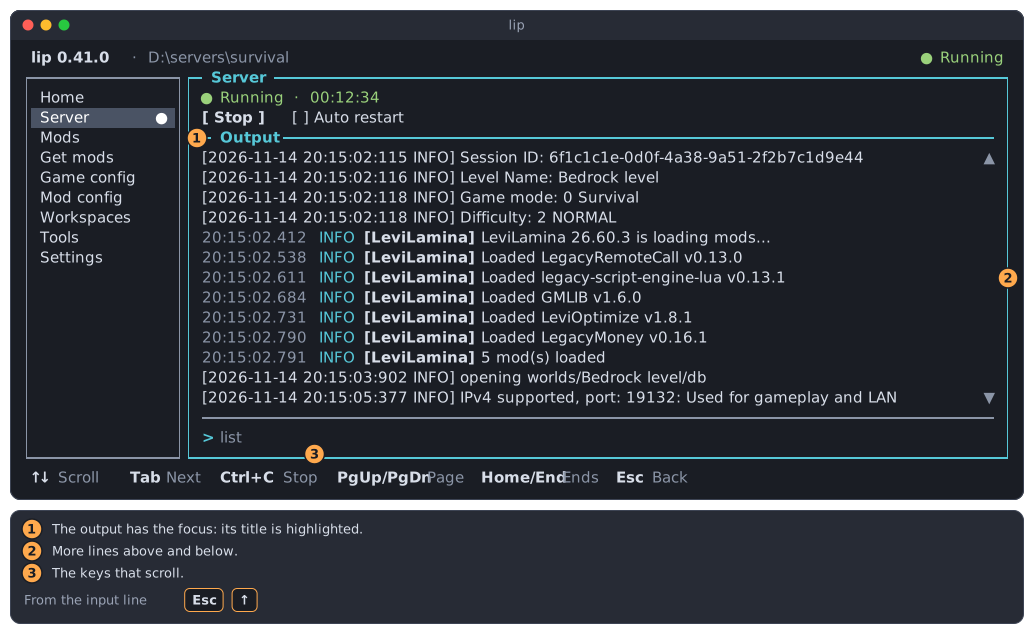
- The output has the focus.
▲and▼mean that there are more lines above and below.- The keys that scroll.
| Key | Does |
|---|---|
↑ ↓ | Scroll one line. |
PgUp PgDn | Scroll one screenful. |
Home | Goes to the first line. |
End | Goes back to the last line. |
While you read back, the lines stay where they are, even when the server writes more.
To go back to the input line, press End and then ↓, or press Tab.
Sending commands to the server
Type a command of the server in the input line and press Enter. The gray list in the empty line is an example, not something that is sent.
The answer of the server appears in the output.
lip remembers the lines you sent. Press ↑ in the input line to bring back the one before, and ↓ to go forward again. What you were typing is kept and comes back when you press ↓ past the last line.
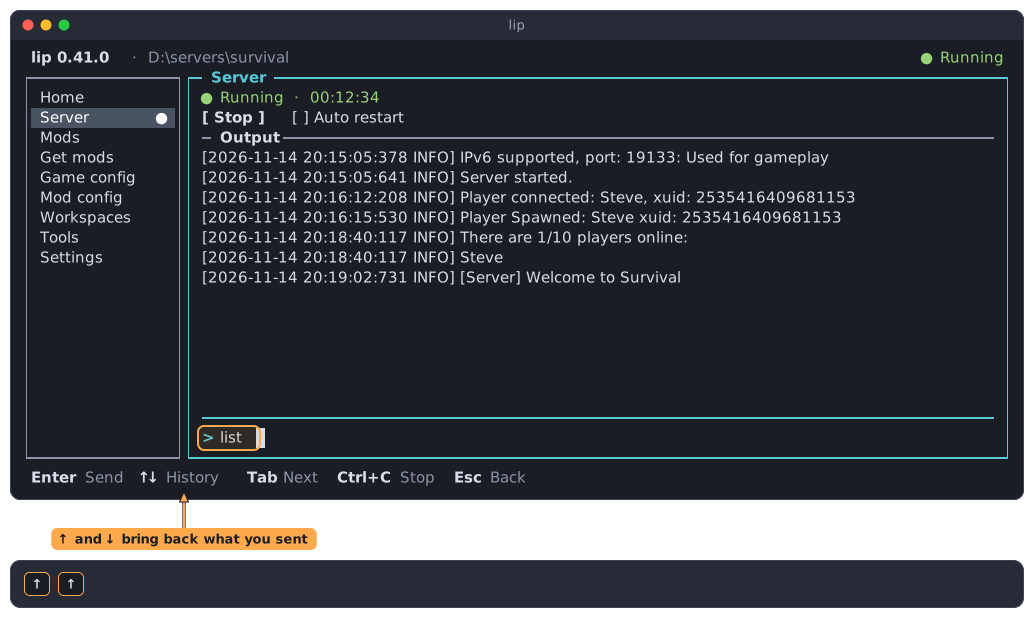
These are commands of the Minecraft server, such as list or say. They are not commands of lip.
Leaving the input line
While the input line has the focus, the letters you type go to the server, so Esc is the way out:
Escgoes from the input line to the output.Escagain goes to the sidebar.
Tab also leaves the input line, for the sidebar.
Auto restart
Auto restart says whether lip starts the server again after a crash. Press → to move from the button to the option. A sentence at its right says what it does. Press Space to switch it.
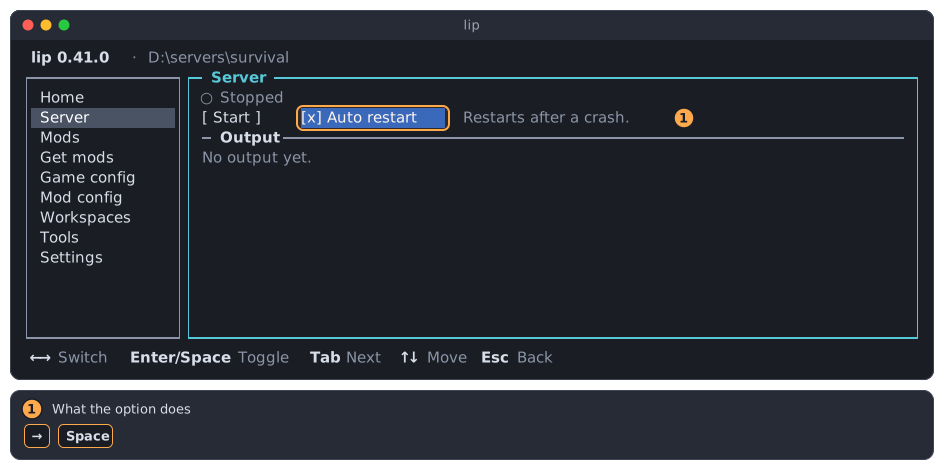
With the option on:
- A server that ends with a code other than
0is started again after 5 seconds. - A server that you stopped, or that ended with the code
0, is not started again. - After 5 restarts within 10 minutes, lip gives up and says so in the output. Read the output above that line to find out why the server keeps failing.
The option belongs to the workspace, so each server has its own. The Settings page shows the same option.
Quitting lip while the server runs
When you quit lip while a server runs, the question says what happens to it.
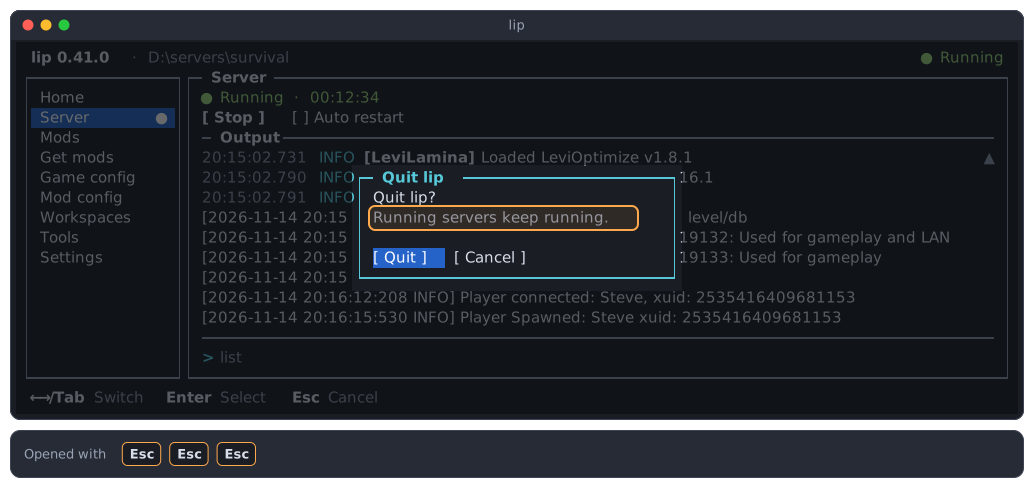
Normally the server keeps running. lip runs servers in a background program of its own, the daemon, which stays when the interface closes. You can close the terminal. To come back, open a terminal in the same folder and run lip: the Server page shows the server, with its recent output, and you can type commands and stop it as before.
In one rare case, when lip cannot use its daemon and runs everything itself, the question says something else:
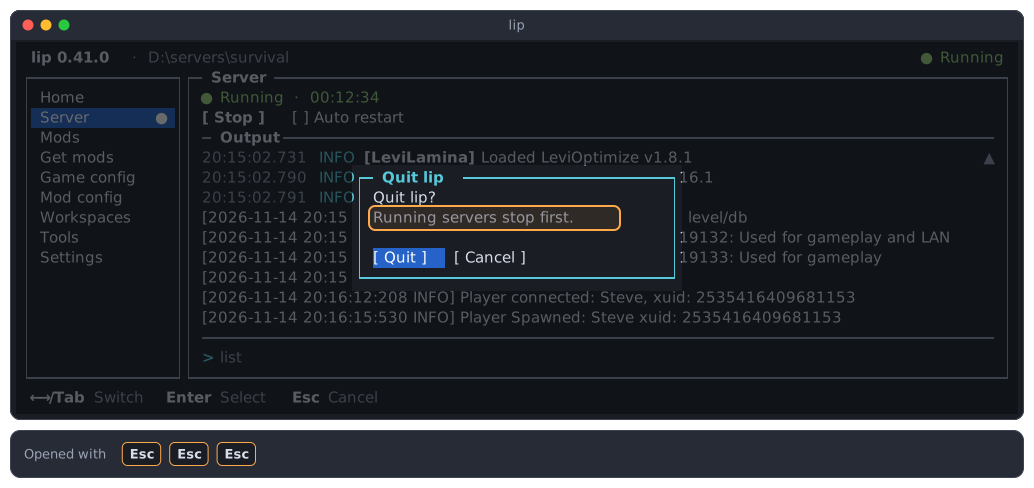
If you choose Quit then, lip asks each running server to stop, shows the Server page while they end, and quits once they have all ended.
Managed servers
A server that is started on this page is a managed server: the daemon of lip runs it, and no terminal owns it. That is why it keeps running when you quit, why several terminals can show the same server at once, and why each workspace can have its own server running at the same time. The command lip run --managed starts and shows the same servers. Running a server from the commands explains them, and how to stop one without the interface.