
Home
The Home page is where lip starts. After this page you can read what it says about your folder, use its three steps to get a server running, and answer the question that lip asks when it cannot reach GitHub.
If the keys or the parts of the screen are new to you, read A tour of the interface first.
The overview
The upper part of the page says what the workspace, the folder that lip works on, holds now.
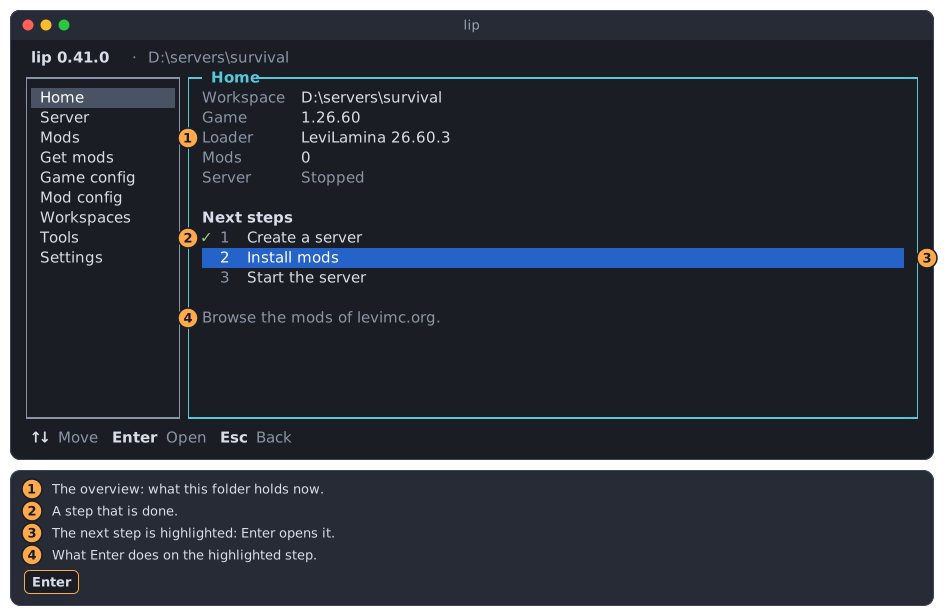
- The overview. Its rows are explained in the table below.
- A step with
✓is done. - The highlighted step is the next one to take.
- One sentence says what
Enterdoes on the highlighted step.
| Row | Shows |
|---|---|
| Workspace | The folder. A long path is cut at its start, so that its end stays visible. |
| Game | The version of the Minecraft server in the folder, or "Not installed". |
| Loader | LeviLamina and its version, or "None". Mods need the loader. |
| Mods | How many mods you installed. Mods that were installed only because another mod needs them are not counted, and neither are the game and the loader. |
| Server | "Stopped", or ● and "Running". From Start until the program of the server runs it says "Starting". Right after you ask the server to stop it says "Stopping", and while lip waits to start a crashed server again it says "Restarting". |
For a moment after the page opens, the rows show … while lip reads the folder.
The three steps
Below the overview are the three steps from an empty folder to a running server. lip highlights the first step that is not done, so in most cases you only press Enter.
Move between the steps with ↑ and ↓. Press Enter to open the highlighted one.
| Step | It is done when | Enter |
|---|---|---|
| 1 Create a server | The folder has the game. | Starts the new server wizard on the Workspaces page. |
| 2 Install mods | You installed at least one mod. | Opens the Get mods page. |
| 3 Start the server | The server runs. | Opens the Server page and starts the server. |
Nothing done yet
In a folder without a server, no step is ticked and the first one is highlighted.
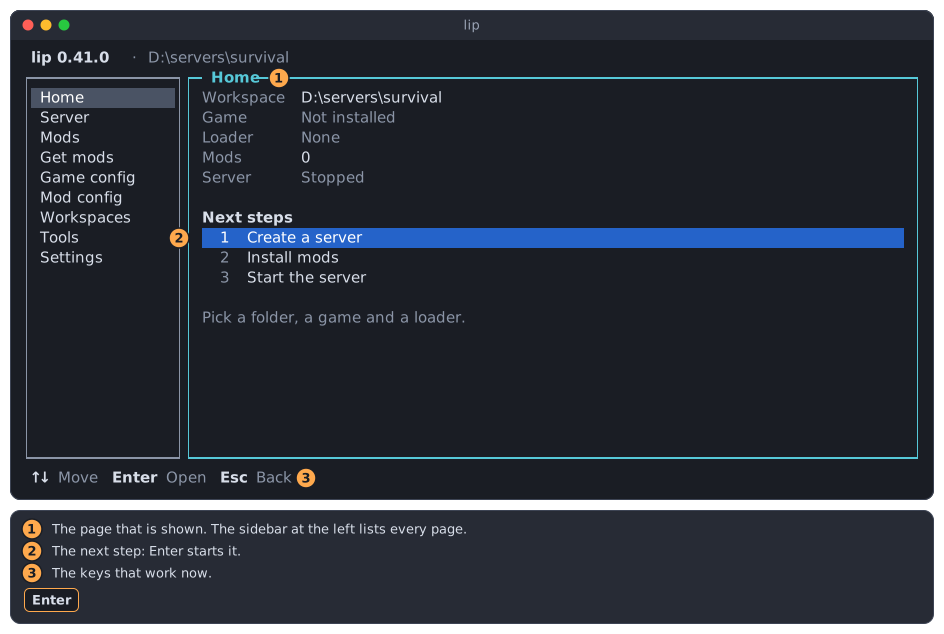
Press Enter to create the server. Your first server walks through what follows.
The server is created
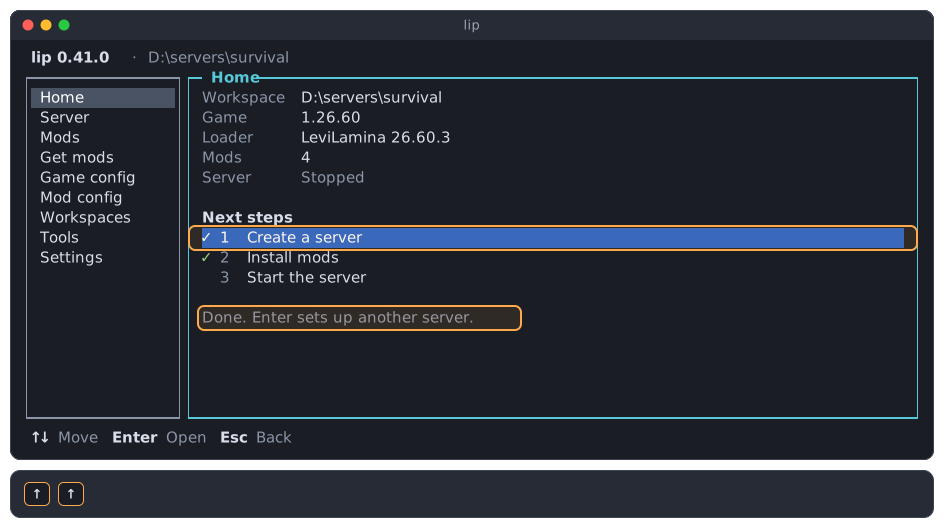
Once the folder has the game, step 1 is ticked and step 2 is highlighted. This is the picture at the top of this page. Press Enter to browse the mods of levimc.org.
Step 2 is optional. A server without mods runs too: press ↓ and Enter to start it right away.
Mods are installed
With at least one mod installed, steps 1 and 2 are ticked and step 3 is highlighted.
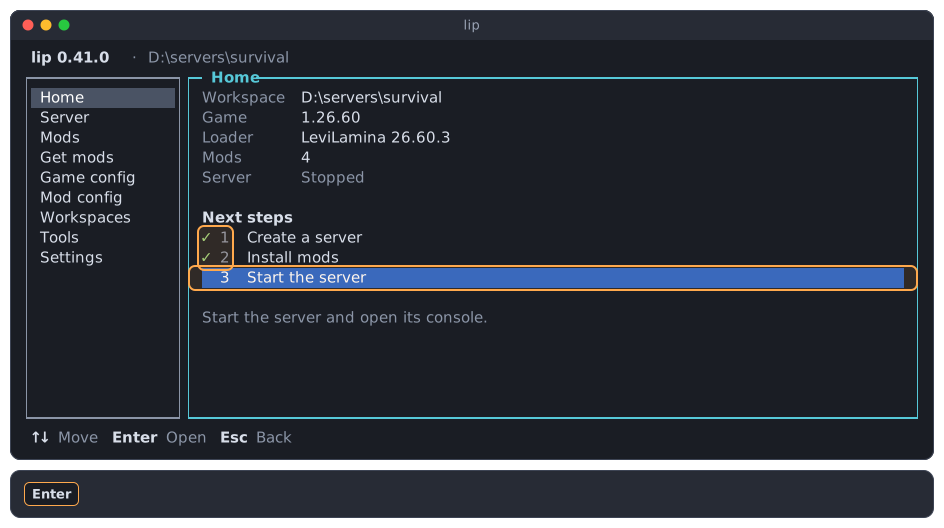
Press Enter. lip opens the Server page and starts the server.
The server runs
While the server runs, all three steps are ticked. The top line and the overview both say "Running", and the Server entry of the sidebar has a ●.
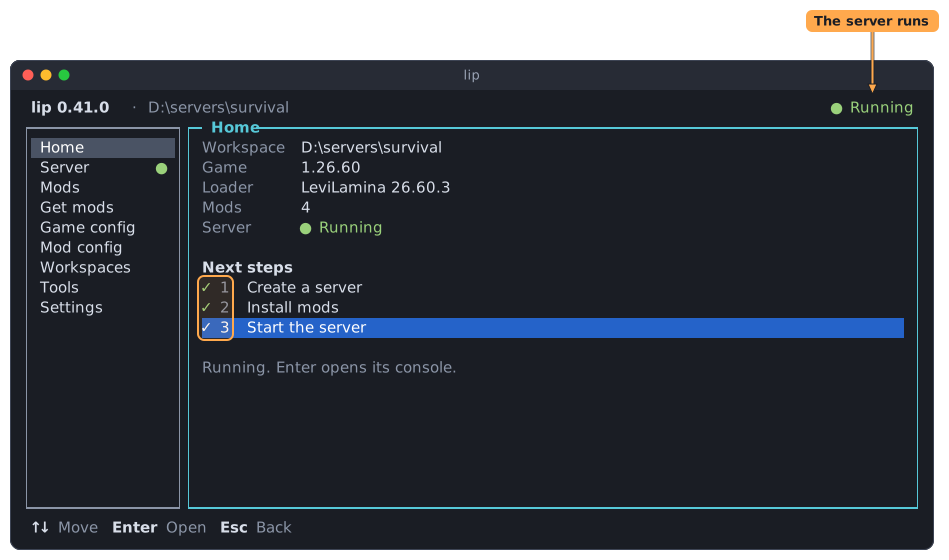
Enter on step 3 now opens the Server page without starting anything.
A finished step can be opened again
A tick does not lock a step. Enter on step 2 always opens Get mods, where you can install more. Enter on a ticked step 1 starts the new server wizard again, to set up another server.
Starting without a server
In a folder without a server there is nothing to start. If you press Enter on step 3 there, lip says "Create a server first." at the right of the bottom line and moves the highlight back to step 1.
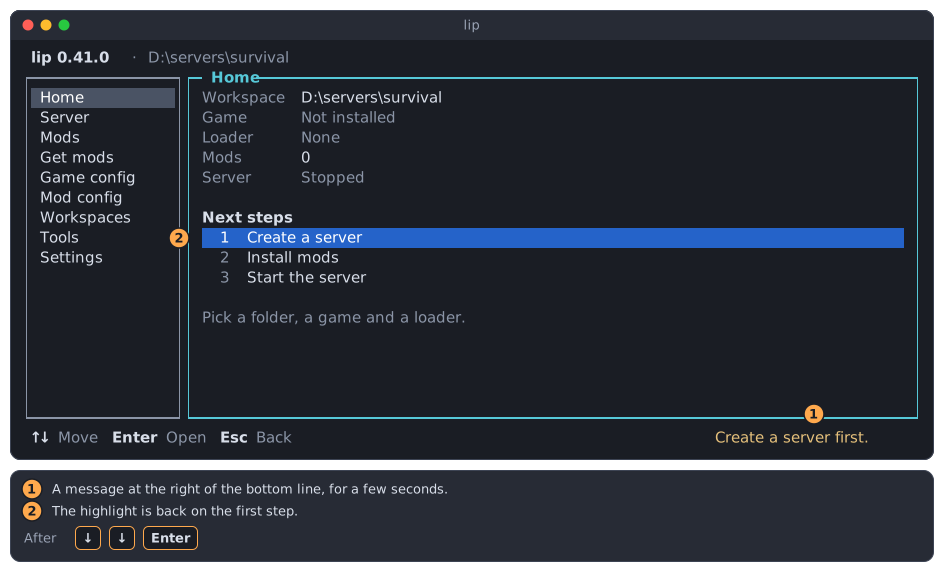
- The message. It goes away after a few seconds.
- The highlight is back on the first step.
When GitHub cannot be reached
lip downloads LeviLamina and most mods from GitHub. Each time the interface starts, lip checks in the background whether it reaches GitHub. It waits up to 10 seconds for an answer, and you can use the interface meanwhile.
When the check fails, lip asks how it should reach GitHub. It asks only once nothing else is open, so the question never interrupts a dialog.
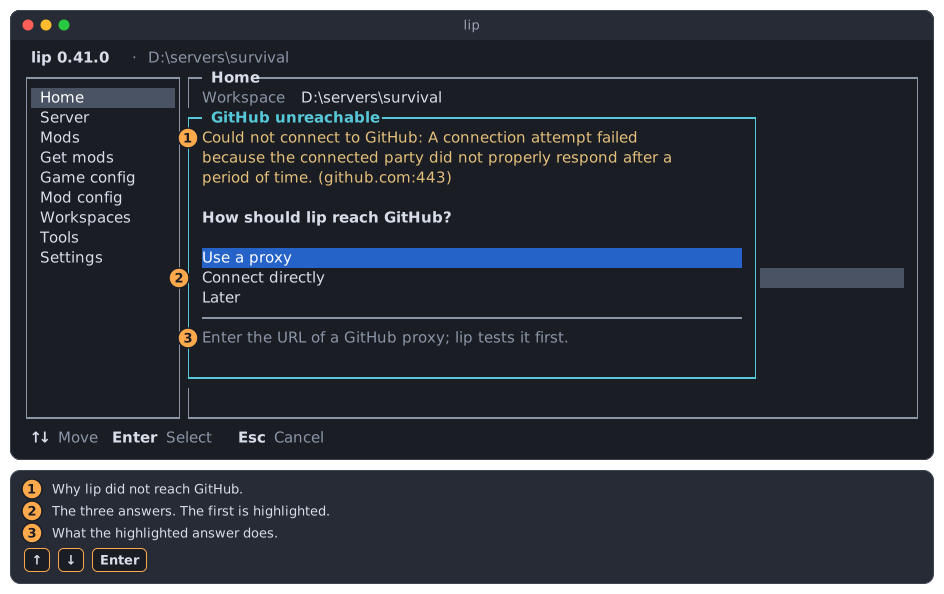
- Why lip did not reach GitHub.
- The three answers. The first one is highlighted.
- One sentence about the highlighted answer.
Choose with ↑ and ↓, and press Enter. Nothing is changed until you answer.
INFO
The check is not made at all once you have set a GitHub proxy, or chosen to connect directly, on the Settings page.
Use a proxy
Choose this when GitHub is slow or blocked where you are, and you know the address of a GitHub proxy. lip does not suggest one.
lip opens the Settings page and asks for the address.
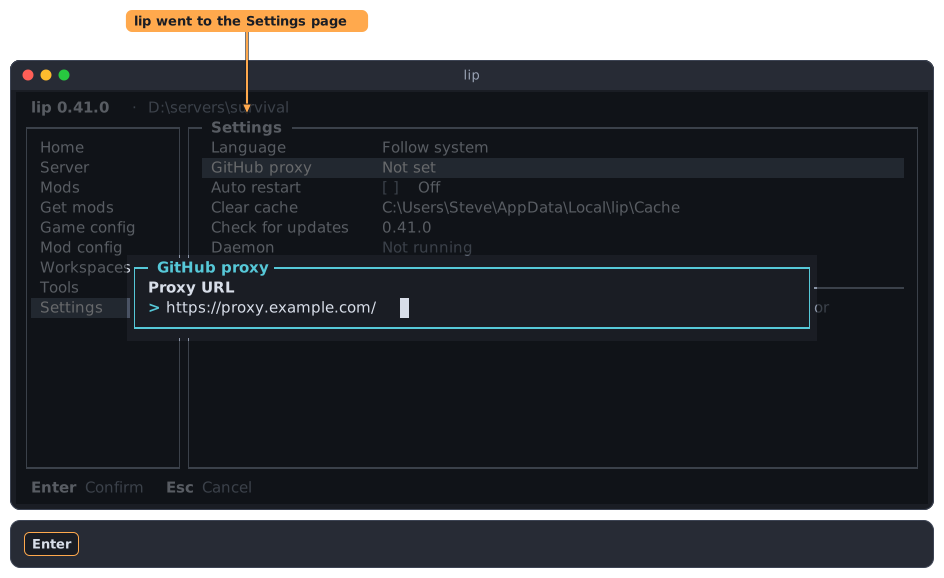
Type the address and press Enter. lip tests the proxy first and saves it when it works. When it does not, you can enter another address, or keep this one anyway. The Settings page describes this in full.
Esc in this dialog saves nothing. lip asks again the next time it starts.
Connect directly
Choose this when your connection to GitHub usually works, and the check failed for another reason, such as a network that was down for a moment.
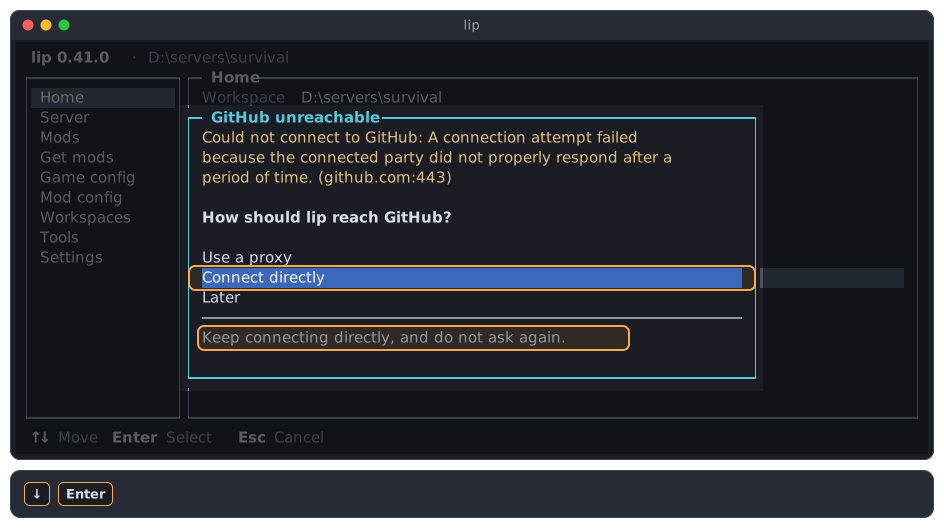
lip saves that it connects directly, and says so in the bottom line. It does not check or ask again.
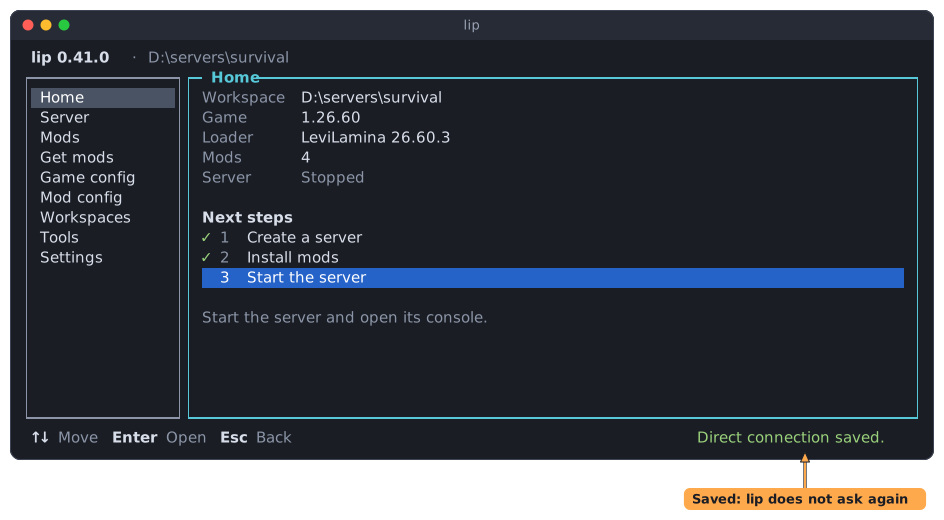
To change this later, set or remove the GitHub proxy on the Settings page.
Later
Choose this when you do not want to decide now. Esc does the same.
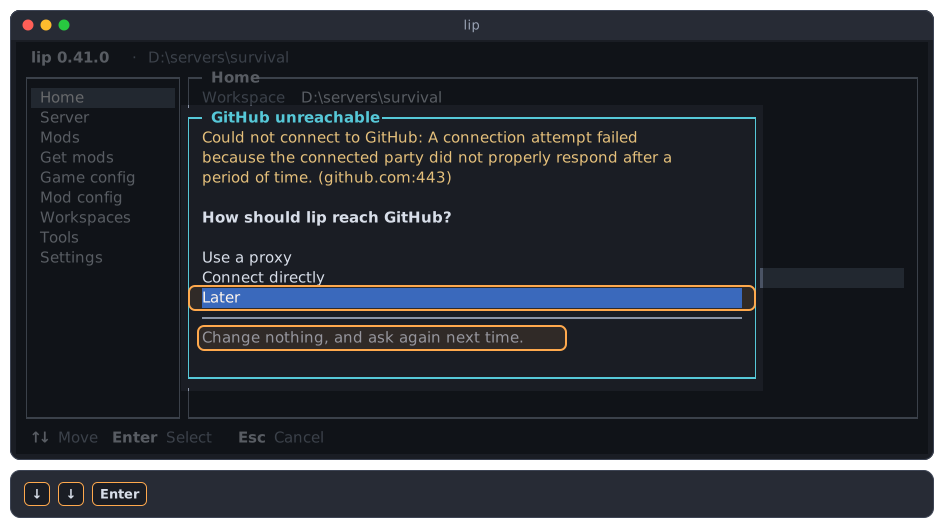
lip changes nothing. It checks again the next time the interface starts, and asks again if the check fails again.
WARNING
Until GitHub can be reached, creating a server with LeviLamina and installing most mods fail. The failure dialog then says that lip could not reach the server. See Troubleshooting.