
Several games at once
Each game has its own clone (~90 MB, seconds) and WebSocket; a run that needs a server starts its own.
powershell
BeDD.exe launch --slot 2 --json
BeDD.exe launch --slot 3 --json
BeDD.exe ps
Slots and clones
Slot N is clone <gameVersion>-<N> (Clones); slot 1 too, the base never runs. No upper
limit. Give each parallel run (worktree, CI job) its own slot: one slot means one shared clone and its worlds.
Rules for parallel runs
- Find your game by instance (
ps --json,run\<pid>.json), never by process nameMinecraft.Windows; close it withBeDD.exe stop <pid>. - Start games only with
BeDD.exe launch(otherwise your normal profile's data is used). - Run
BeDD.exe world singleplayer <worldDir>after restoring a test world: games share one online sign-in, and simultaneous multiplayer worlds fail with "Blaze". - Runs that join a server online use
launch --exclusive-signaling: every game holds the signaling lock (locks) shared for its life; this one waits for the others to close and holds it alone. The game process holds it, so a crashed script does not leak it.
The manager window
Games show only in the manager window: off screen, no taskbar button, not in Alt+Tab; the window never takes focus.
Double-click BeDD.exe, or launch opens it; later runs reuse it.
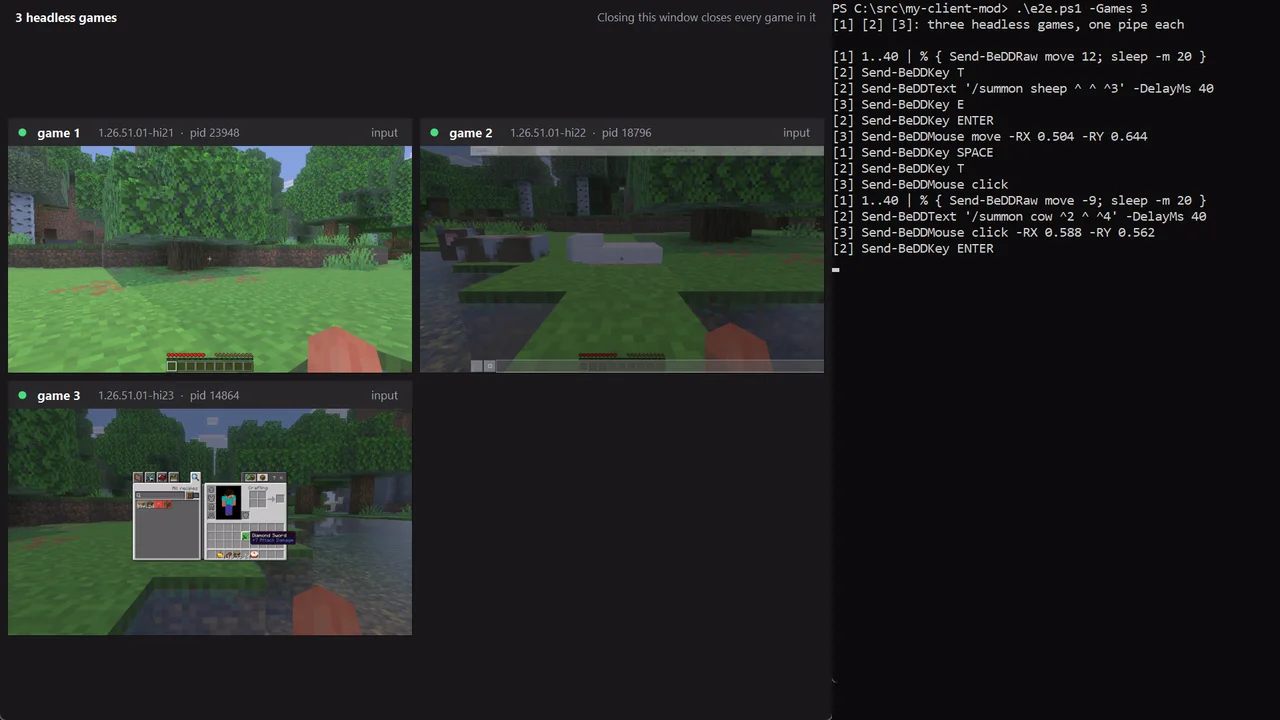
- Each game: live picture,
--label, instance, pid, input activity. Double-click its title: show only it. Right-click: control it, play its sound, close, openlatest.logor the instance folder, copy the WebSocket URL. - Click a game's picture to control it, as in a virtual machine: keyboard, mouse, wheel and camera go to that game; the pointer stays in the picture; the Windows key and Alt+Tab go to the game too. Ctrl+Left Alt releases them (AltGr still types), and so does switching to another window. Alt+F4 does nothing meanwhile.
- Play its sound on this PC (right-click): that game's sound on the speakers, until unchecked or the window closes. Games are silent otherwise.
- Closing it (asks first) or killing it closes every game.
- CLI:
BeDD.exe ps,stop <pid>,manager status,manager stop(closes all without asking).
A game with no manager attached within 30 s, or that loses it, closes (reason in latest.log). Headless CI: config
manager=false (Configuration); the game stays hidden, never closes itself; use
BeDD.exe stop.