
NaturesLodestone
A biome-finding compass for Minecraft Bedrock Edition: pick a biome and the compass leads you to it
- 8 次下载
- 更新于
- 实用工具utility
- 内容与冒险adventure biome
README0.1.0
NaturesLodestone
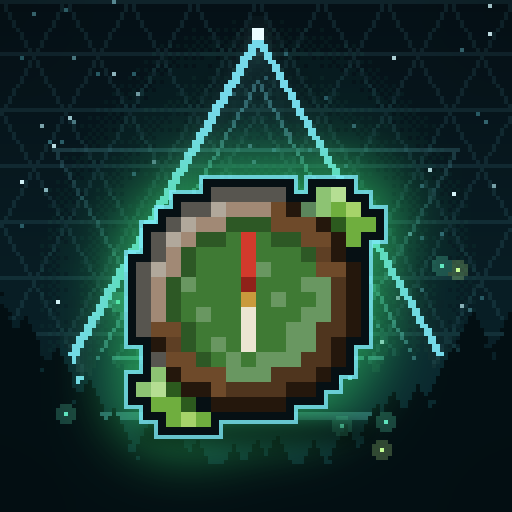


Find any biome with a compass. NaturesLodestone adds a Biome Compass to Minecraft: Bedrock Edition: pick a biome from a list and the compass searches for it and points the way, on dedicated servers and in single-player worlds.
More pictures and clips are in docs/showcase.
Using the compass
Craft it on a crafting table: a compass in the middle, logs on the four sides and four saplings of one kind in the corners.
| What you do | What happens |
|---|---|
| Right-click (in the air or on a block) | Opens Select Biome. |
| Sneak + right-click | Stops the search and resets the compass. Works on a broken compass too. |
| Hold it | The HUD in the top-left corner shows the compass's status, and the needle points to the biome it found. Before a search, the needle points to the world spawn. |
Select Biome lists every biome the world can generate. Each row shows the biome's dimension, tags, source and XP cost.
- Search box. Filters by name.
$forestfilters by tag,@minecraftby source. - Sort By cycles through Name, Source, Tags, Dimension, Levels, Rainfall and Temperature.
- Choose a biome. Click it, then Search, or click it again. A search costs the biome's XP levels (nothing in creative). Biomes you can't afford are greyed out.
- Search for Next finds another patch of the biome you found, one that isn't connected to any earlier find. Turn it off with
maxNextSearches: 0. - Teleport takes you to the biome you found, at a safe height. Only operators, or players in a world with cheats on, can use it, and only while
allowTeleportis on. If the chunks there aren't loaded yet, you wait above them until they are (at most 20 s). - Cancel closes the screen.
The search runs on the server, a little every tick, spiralling out from where you stand. While it runs, the HUD shows Searching and the radius. When it ends, the HUD shows Found with the coordinates and your distance (with displayCoordinates), or Not Found with the radius and the number of samples.
With compassDurability set, every successful search (outside creative) wears the compass down, and the durability bar shows how much is left. A broken compass can't search. Repair it on a crafting table: Biome Compass + compass gives you a fresh one.
Servers, clients and vanilla players
| Where | Select Biome | HUD | Needle |
|---|---|---|---|
| Single-player (client mod) | yes | drawn by the mod | animated |
| Dedicated server, player with the client mod | yes | drawn by their mod | animated |
| Dedicated server, vanilla player | yes | drawn by the server's resource pack | static icon |
Install
You need Minecraft Bedrock Edition for Windows (x64) with LeviLamina (on a client, installed through LeviLauncher). A NaturesLodestone release is built against each LeviLamina line it supports, and you pick the one that matches your game:
| Minecraft | LeviLamina | Variant |
|---|---|---|
| 1.26.60 | 26.60.x | 26_60, and the default |
| 1.26.51 | 26.51.x | 26_51 |
In LeviLauncher, install NaturesLodestone from the LeviMC Mods page; it offers the variants above, and the default is the newest line.
With lip 0.40.0 or later, on a dedicated server or a client (lip installs the build of the side it runs on):
lip install github.com/MiracleForest/NaturesLodestone          # the newest line (26.60)
lip install github.com/MiracleForest/NaturesLodestone#26_51    # LeviLamina 26.51
Or download the zip for your side and line from the releases page (pick the newest release, which may be a prerelease) and extract it into a NaturesLodestone folder next to LeviLamina/, so that NaturesLodestone/manifest.json exists:
| Where | Zip | Folder |
|---|---|---|
| Dedicated server, LeviLamina 26.60 | natureslodestone-server-win-x64-ll26.60.zip | mods/NaturesLodestone/ |
| Dedicated server, LeviLamina 26.51 | natureslodestone-server-win-x64-ll26.51.zip | plugins/NaturesLodestone/ |
| Client (LeviLauncher), LeviLamina 26.60 | natureslodestone-client-win-x64-ll26.60.zip | mods/NaturesLodestone/ |
| Client (LeviLauncher), LeviLamina 26.51 | natureslodestone-client-win-x64-ll26.51.zip | mods/NaturesLodestone/ |
Commands
| Command | Who | What it does |
|---|---|---|
/natureslodestone reload | Operators, console | Reloads the configuration and translations. |
/natureslodestone selftest ["glob"] | Operators, console | Runs the in-game selftests. |
The other sub-commands (damage, gui, hud, needle) are debug tools for the tests. They are listed in docs/SPEC.md.
Configuration
Settings live in config/*.json inside the mod folder (mods/NaturesLodestone/, or plugins/NaturesLodestone/ on a LeviLamina 26.51 server). Each file is created with defaults on first start.
| File | Setting | Default | Meaning |
|---|---|---|---|
mod.json | language | en_US | Language of server messages when a player's own language has no translation. |
usePlayerLocale | true | Use each player's game language when a translation exists. | |
requireResourcePack | true | Dedicated server: players must accept the resource pack to join. | |
natureslodestone.json | allowTeleport | true | Operators and players in worlds with cheats can teleport to a located biome. |
maxNextSearches | 25 | 0 to 10000. 0 hides "Search for Next", so the compass always locates the nearest biome. | |
displayCoordinates | true | Show the coordinates and distance of a located biome on the HUD. | |
radiusModifier | 2500 | 0 to 1000000. The maximum search radius is 4 × this, in blocks. | |
sampleSpaceModifier | 16 | 0 to 1000000. The distance between two samples is 4 × this, in blocks. Lower is more accurate and slower. | |
biomeBlacklist | [] | Biome ids that can't be searched for. * matches any characters, ? one character, e.g. "minecraft:*ocean*". | |
defaultXpLevels | 0 | 0 to 3. XP levels a search costs. | |
perBiomeXpLevels | [] | "biome_id,levels" entries that override defaultXpLevels (wildcards allowed, at most 3 levels), e.g. "minecraft:deep_dark,3". | |
maxSamples | 50000 | 0 to 1000000. Maximum samples one search takes. | |
compassDurability | 0 | 0 to 10000. Successful searches before the compass breaks and must be repaired. 0 disables durability. | |
natureslodestone_client.json | displayWithChatOpen | true | Show the HUD lines while the chat is open. |
fixBiomeNames | true | Add missing spaces to biome names in the list ("ForestHills" becomes "Forest Hills"). | |
overlayLineOffset | 1 | 0 to 50. Line offset of the HUD lines. | |
overlaySide | LEFT | LEFT or RIGHT: the side of the screen for the HUD lines. |
natureslodestone.json holds the general settings and natureslodestone_client.json the client (HUD) settings. In single-player, the client mod reads both. On a dedicated server, the server's natureslodestone_client.json controls the HUD it sends to vanilla players (and the biome name fixing in Select Biome). Players with the client mod use their own copy for their HUD. /natureslodestone reload applies changes.
Good to know
A few details, mostly due to how Bedrock works. The full behaviour is described in docs/SPEC.md.
- Select Biome is a form. The server sends it, so vanilla players can use it too. With the resource pack (single-player, and servers with
requireResourcePack) it is drawn as a custom screen. The search box opens a small input and filters when you confirm it, not on every key. Players without the pack get a plain form with the same contents. - Vanilla players on a server. The HUD is sent as a title that the resource pack draws in the same place. It can't hide itself while the chat is open, and it can replace a normal title that is on screen when the HUD changes. The needle is a static icon.
- One search per compass. Several players can search at the same time, each with their own compass.
- Saplings. All four saplings in the recipe must be of the same kind.
- Teleporting into unloaded chunks waits until they have loaded.
- Durability shows as Bedrock's durability bar.
- Biome ids are Bedrock's (for example
minecraft:roofed_forestis Dark Forest). Names and tags follow Java Edition.
Contributing
See CONTRIBUTING.md. AGENTS.md is the developer guide.
License
CC BY-NC-SA 4.0 (Creative Commons Attribution-NonCommercial-ShareAlike 4.0 International). Non-commercial use only: do not sell it, put it behind a paywall or distribute it through ad-supported downloads. See NOTICE for third-party notices; some files keep their own licence.